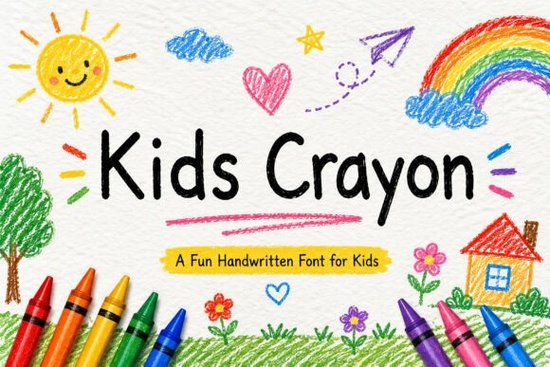
If you’ve ever tried to capture the joyful messiness of a child’s crayon drawing in a digital design, you know how hard it is to find a font that feels authentic without looking sloppy. That’s where Kids Crayon Font comes in a handwritten typeface that mimics the uneven charm of real crayon marks, complete with soft edges and a touch of whimsy. Whether you’re designing classroom printables, birthday invites, or nursery wall art, this font adds instant warmth and personality.
Unlike overly polished script fonts, Kids Crayon leans into imperfection. Its letters look like they were drawn by a kindergartener who’s just learning to hold a crayon slightly wobbly, full of character, and brimming with imagination. It’s especially useful for educators creating worksheets, crafters making Cricut vinyl decals, or small businesses branding children’s products. The font includes uppercase and lowercase letters, numbers, punctuation, and even multilingual support, so it works across a wide range of projects.
What kinds of projects work best with Kids Crayon?
This font shines anywhere you want to evoke childhood creativity or playful learning. Think beyond just coloring pages it’s versatile enough for:
- Educational materials: Flashcards, alphabet charts, and reading logs for preschool or kindergarten.
- Party and event graphics: Birthday invitations, cupcake toppers, and photo booth signs.
- Product packaging: Labels for kids’ toys, bath products, or snack boxes.
- Home and classroom decor: Wall quotes, door signs, or behavior charts with a handmade feel.
- Digital designs: Social media posts for parenting blogs, Etsy shop banners, or printable sticker sheets.
Because it’s PUA-encoded, you can easily access alternate characters and stylistic variations in programs like Adobe Illustrator or Silhouette Studio no need for complicated workarounds.
How does it compare to other playful script fonts?
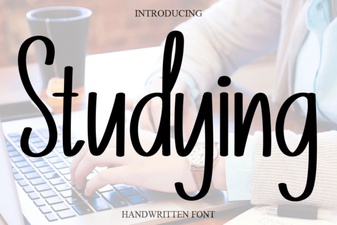
Not all kid-friendly fonts strike the right balance between readability and charm. Some lean too cartoonish; others feel stiff. Kids Crayon sits comfortably in the middle. If you like its hand-drawn vibe but want to explore similar styles, check out alternatives like the bubbly Strawberry Font, the gentle curves of the Studying Font, or the expressive flow of the Sometimes Font. For more structured yet still friendly lettering, the Stylish Alphabet Font offers clean lines with a youthful twist.
Each of these fonts serves a slightly different mood Kids Crayon is your go-to when you specifically want that crayon-on-paper texture and energy. You can browse them all on Creative Fabrica: Kids Crayon.
Tips for using Kids Crayon effectively
To get the most out of this font, keep a few practical considerations in mind:
- Pair it wisely. Avoid combining it with other highly decorative fonts. Instead, use a simple sans-serif (like Montserrat or Open Sans) for headings or body text to let the crayon style stand out.
- Watch your sizing. Because of its textured strokes, very small point sizes may lose legibility especially in printed worksheets. Test print before finalizing.
- Add color thoughtfully. Bright primary colors enhance the crayon effect, but don’t overdo it. A single bold hue (like red or blue) often works better than a rainbow mix unless you’re going for a specific party theme.
- Use it for accents. It’s great for titles, labels, or short phrases but not ideal for long paragraphs. Keep text blocks brief to maintain clarity and visual appeal.
For crafters using Cricut or Silhouette machines, the font cuts cleanly thanks to its smooth vector paths. Just remember to weld letters if you’re making stickers or iron-on transfers to avoid tiny gaps.
Who should consider this font?
Teachers creating custom classroom resources will appreciate how quickly Kids Crayon adds a welcoming touch to morning messages or reward charts. Print-on-demand sellers can use it for kids’ T-shirts, mugs, or growth charts with broad market appeal. Small businesses in the children’s space think toy shops, daycare centers, or baby boutiques can build cohesive branding that feels personal and approachable. Even hobbyists making scrapbooks or handmade cards will find it a reliable tool for adding nostalgic flair.
Before you download, make sure your software supports OpenType features if you plan to use alternates or ligatures. Most modern design programs do, but it’s worth checking if you’re using older versions.
Ready to try it? Here’s a quick checklist to get started:
- ✅ Confirm your project calls for a playful, childlike aesthetic not formal or corporate.
- ✅ Pair with a neutral, readable font for supporting text.
- ✅ Test print or preview at actual size to ensure legibility.
- ✅ Explore the full character set (including numbers and punctuation) for consistency.
- ✅ Consider bundling with matching clipart or doodle elements for a cohesive look.
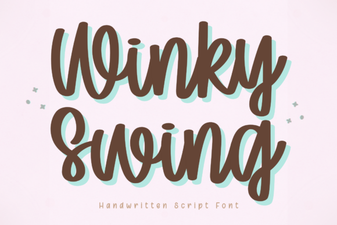 Winky Swing Font: a Fun and Playful Typeface
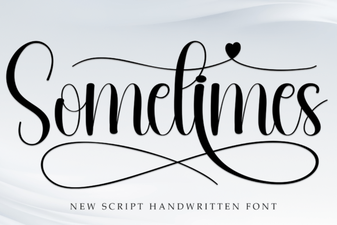 Unlocking Creativity with the Sometimes Font
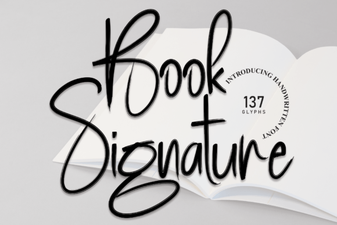 Creative Signature Fonts for Your Book Projects
 Kayla Outline Font for Web and Print Projects
 Choosing the Perfect Font for Your Study Projects
 Bourgueil Font: Creative Design Inspiration