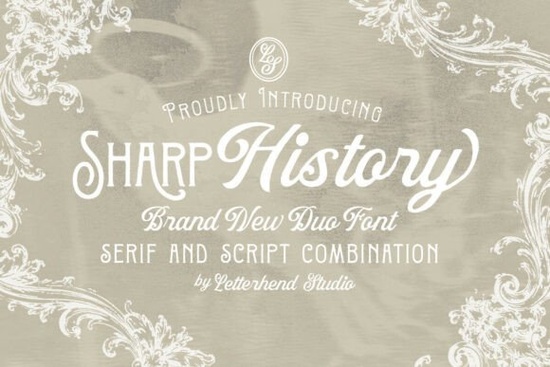
If you're looking for a font that blends vintage charm with modern elegance, Sharp History is worth a closer look. This font duo pairs a decorative serif with a graceful script offering just the right balance of structure and fluidity for projects that need personality without feeling overdone.
Designed with attention to historical detail but refined for contemporary use, Sharp History works especially well when you want your design to feel timeless rather than trendy. Whether you’re crafting wedding stationery, designing product packaging, or creating social media graphics for a boutique brand, this pair gives you two complementary styles in one package.
What makes Sharp History different from other vintage fonts?
Many retro-inspired typefaces lean heavily into either ornate decoration or exaggerated flair but Sharp History avoids both extremes. The serif style features subtle flourishes and sturdy letterforms that nod to early 20th-century typography, while the script maintains a natural hand-drawn rhythm without veering into illegibility. Together, they create contrast that feels intentional, not chaotic.
This balance is especially useful if you’re layering text (like pairing a headline with a subheading) or mixing type styles within a single layout. You don’t have to hunt for a matching script you already have one that’s designed to harmonize.
Where does Sharp History work best?
Thanks to its dual nature, this font shines in contexts where warmth and sophistication matter:
- Wedding invitations and save-the-dates – Use the script for names and the serif for event details.
- Branding for artisanal or heritage-focused businesses – Think coffee roasters, candle makers, or small-batch skincare lines.
- Editorial layouts – Pull quotes or feature headlines gain visual interest without overwhelming body text.
- Greeting cards and gift tags – The script adds a personal touch; the serif keeps it grounded.
- Print-on-demand products – Mugs, tote bags, or wall art benefit from the font’s clear distinction between decorative and readable elements.
If you like the idea of Sharp History but want to explore similar options, consider checking out Strong Font for bolder editorial impact or Medvilea Editorial Font if you prefer a more minimalist vintage feel. For another take on decorative serifs with character, this collection includes complementary choices that share Sharp History’s attention to detail.
How to pair Sharp History with other fonts
Because Sharp History already includes two contrasting styles, you often won’t need a third font. But if your project calls for additional type (like body copy in a brochure), stick to clean, neutral sans-serifs such as Lato, Montserrat, or even system fonts like Helvetica Neue. Avoid anything too geometric or techy it’ll clash with the organic warmth of Sharp History.
When using the script version, keep line lengths short and avoid all-caps. It’s meant for emphasis, not paragraphs. The serif, meanwhile, holds up well in both headings and short blocks of text, thanks to its open counters and consistent stroke weight.
Is Sharp History beginner-friendly?
Yes especially if you’re using design tools like Canva, Adobe Express, or Affinity Publisher. Both fonts install like any standard OTF or TTF file, and their clear distinction between styles makes experimentation straightforward. Even if you’re new to typography, you’ll quickly see how the script softens the formality of the serif, and vice versa.
One tip: play with size and spacing before adding color or effects. Sometimes increasing letter-spacing (tracking) in the serif by just 20–50 units gives it room to breathe, while slightly tightening the script can enhance its flow.
Before you finalize your purchase, remember that Creative Fabrica often bundles fonts like Sharp History with commercial-use licenses, which is essential if you’re selling designs or products. Always double-check the license terms included with your download.
Quick checklist before using Sharp History in your next project:
- Use the script for names, quotes, or short phrases not body text.
- Pair the serif with simple sans-serifs if you need a third font.
- Test readability at small sizes (under 12pt) the serif usually holds up better.
- Check kerning manually in key words (like “AVA” or “TO”) to avoid awkward gaps in the script.
- Download and install both font files don’t assume one style works alone.
With its thoughtful design and versatile pairing, Sharp History offers a reliable way to add vintage refinement without sacrificing clarity. If your project calls for something classic yet fresh, it’s a solid choice from a trusted source.
Try It Free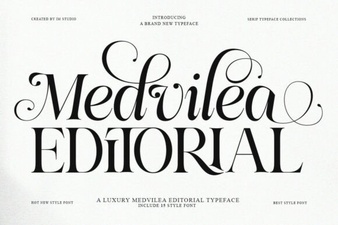 Medvilea Editorial: Creative Font Design Guide
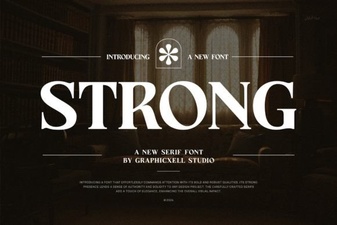 Font Power: Choosing Strong Typography for Your Website
 Colorful Fonts for Kids' Projects & Creative Designs
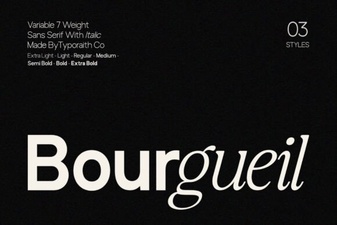 Bourgueil Font: Creative Design Inspiration
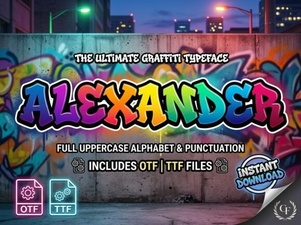 Alexander Font for Creative Design Projects
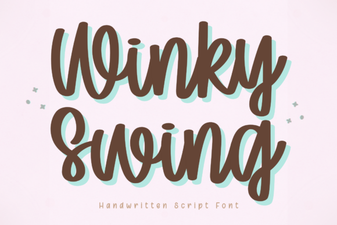 Winky Swing Font: a Fun and Playful Typeface