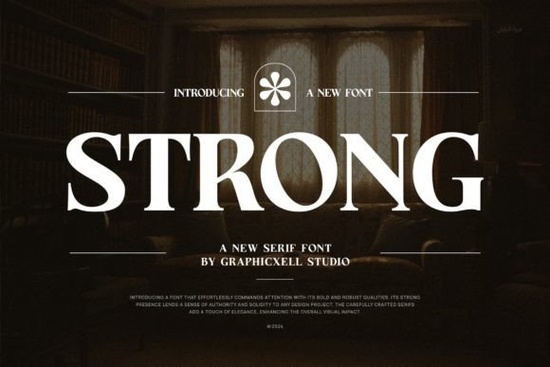
If you're working on a design that calls for timeless elegance with a clean, modern edge, Strong Font might be exactly what your project needs. This serif typeface blends classic letterforms with contemporary styling, making it versatile enough for everything from wedding invitations to product labels. Whether you’re a small business owner creating branded packaging or a hobbyist designing printable stationery, Strong Font offers high readability and visual polish without feeling overly ornate.
One of the standout features of this font is its PUA (Private Use Area) encoding. That means you can easily access all the extra glyphs, swashes, and ligatures directly through your design software no need to hunt through character maps or install additional files. Just select the font, and those decorative details are ready to use, giving your work a custom, handcrafted feel with minimal effort.
What kinds of projects work best with Strong Font?
Because of its balanced mix of sophistication and clarity, Strong Font shines in contexts where professionalism meets personality. Here are a few real-world uses:
- Branding and logos – Its strong serifs convey trust and heritage, ideal for boutique businesses or artisanal brands.
- Wedding stationery – From save-the-dates to place cards, it adds a refined touch without overwhelming delicate layouts.
- Social media graphics – Clean enough for captions, elegant enough for quote posts or promotional banners.
- Product packaging and labels – Stands out on shelves while remaining legible at small sizes.
- Photography watermarks – Discreet yet distinctive, especially when using lighter weights or subtle glyphs.
If you’re exploring similar options, you might also like Medvilea, which leans slightly more editorial and magazine-inspired, or Sharp History, a geometric serif with vintage flair. Each offers a different mood, but all share that essential blend of readability and style found in Strong Font.
How do I make the most of the extra glyphs and ligatures?
Since Strong Font is PUA-encoded, tools like Adobe Illustrator, Photoshop, or even Canva (with OpenType support) will let you toggle alternate characters right from the glyph panel or font menu. Try swapping standard letters for swash variants in headlines or signatures just avoid overusing them in body text, where clarity matters most.
For print-on-demand sellers, these extras can be a subtle way to differentiate your designs. A single ornate “&” in a wedding invitation or a custom “Q” tail on a monogram can elevate a template from generic to memorable all without changing fonts or adding vector elements.
Is Strong Font beginner-friendly?
Absolutely. Even if you’ve never worked with OpenType features before, Strong Font behaves like any standard font in basic use. You’ll get excellent results just typing normally. The advanced features are there when you’re ready but they’re not required to create beautiful work.
It pairs well with minimalist sans-serifs (think Helvetica Neue or Montserrat Light) for contrast, or with other refined serifs like Strong Font itself in varying weights for hierarchy. And because it’s designed with consistent spacing and x-height, it holds up well in both digital and printed formats.
Who should consider this font?
This typeface is especially useful for:
- Small business owners building cohesive brand identities on a budget.
- Etsy sellers creating downloadable wedding kits, greeting cards, or planner templates.
- Photographers looking for an understated yet elegant watermark font.
- Crafters personalizing mugs, tote bags, or wall art with meaningful quotes.
- Designers who need a reliable serif that works across web, print, and packaging.
Unlike overly decorative scripts that limit usability, Strong Font stays functional while still offering room for creativity making it a practical addition to any working font library.
Before you finalize your choice, ask yourself: Does my project need authority and warmth? Do I want something that feels custom but won’t slow down my workflow? If so, Strong Font delivers both.
Quick checklist before downloading:
- ✅ Confirm your software supports OpenType features (most modern design apps do).
- ✅ Test readability at your intended size especially for small-print items like tags or business cards.
- ✅ Pair it with a neutral sans-serif for contrast if your layout includes multiple text elements.
- ✅ Use ligatures and swashes sparingly highlight key words, not every sentence.
- ✅ Check licensing terms if you plan to use it in commercial products (Creative Fabrica typically includes commercial use).
With its balance of form and function, Strong Font isn’t just another pretty typeface it’s a dependable tool that adapts to your creative needs, whether you’re designing for passion or profit.
Download Now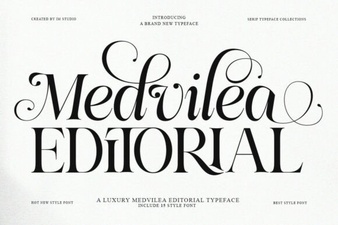 Medvilea Editorial: Creative Font Design Guide
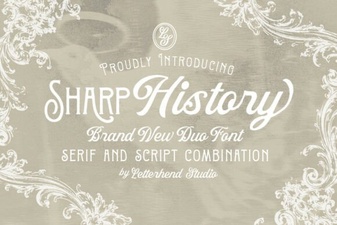 Sharp Fonts for Historical Design Projects
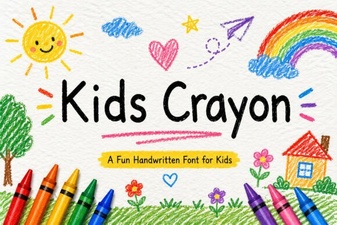 Colorful Fonts for Kids' Projects & Creative Designs
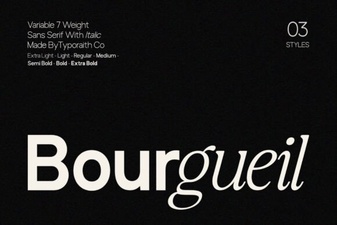 Bourgueil Font: Creative Design Inspiration
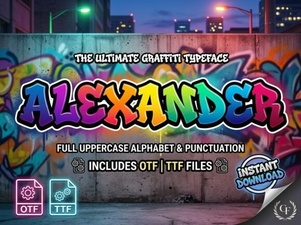 Alexander Font for Creative Design Projects
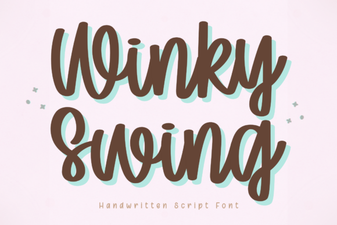 Winky Swing Font: a Fun and Playful Typeface